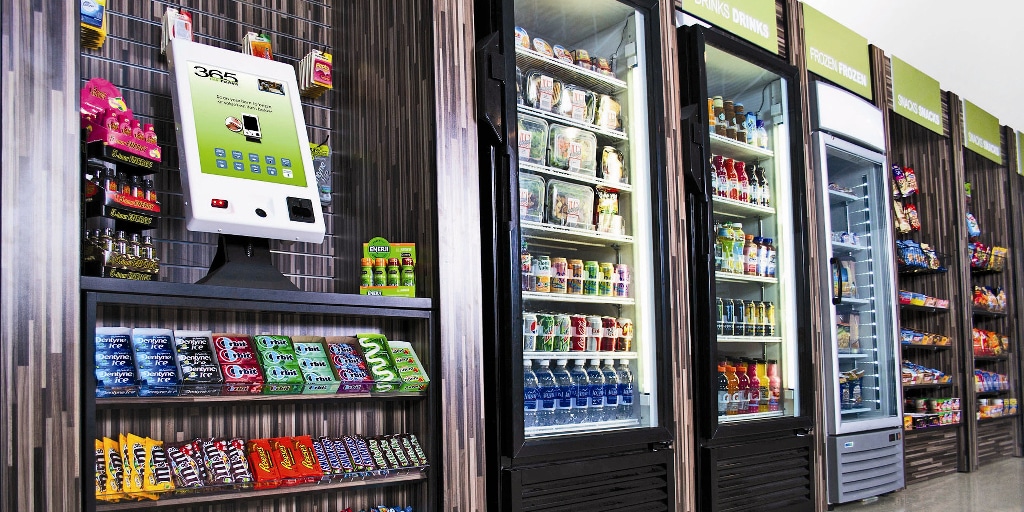
A new micro-market can be ready to open while employees still have basic questions. Is the food free? Does everyone need an app? Can the night shift use it? Who helps if a purchase does not go through?
Answering those questions before opening gives the market a better start. For a Houston workplace, the introduction should reach the people who actually use the building, including warehouse crews, office staff, part-time employees, and teams arriving outside normal office hours. A single announcement to the daytime office is rarely enough.
The goal is not a big promotional campaign. It is a clear introduction that helps employees find the market, understand the arrangement, and make their first purchase without guessing.
Start with the details employees need
Before sending an announcement, confirm the opening date, location, access arrangements, and payment methods with the provider. Explain whether employees pay for their own purchases or whether the employer is contributing a benefit. Do not describe the market as complimentary unless that is the actual arrangement.
An employer planning a workplace micro-market should also confirm whether employees can use the checkout without creating an account. Equipment and payment options vary. Instructions copied from another location may create confusion if the new setup works differently.
Keep the first message practical: where to go, when it opens, how purchases work, and where to get help. A photograph of the actual location can be more useful than a long description of the equipment.
Reach every shift before the doors open
Email works for some employees, but not everyone checks a company inbox during a shift. Pair the announcement with the channels the workplace already uses, such as a shift meeting, supervisor briefing, breakroom notice, or employee messaging system.
In a Houston distribution facility, a late-arriving crew may never see a morning demonstration. A service department may have technicians moving between bays while administrative staff receive every announcement. Plan an introduction for those groups rather than assuming information will travel on its own.
If the market is inside a badge-controlled area, explain who can enter and when. Visitors, contractors, and employees from another floor may have different access. Confirm those rules with the building team before promising availability to everyone.
Use the languages and communication formats already used for important workplace notices. The message should be easy to understand without turning a simple purchase into another training requirement.
Show a complete purchase rather than just the equipment
A short demonstration should follow the process employees will actually use: select an item, identify or scan it as required, review the purchase, pay, and confirm completion. Use the instructions supplied for the installed checkout, not assumptions about another market.
Show how to check that every selected item is included. If the system provides a receipt or confirmation, point out where it appears. If an optional account or app is available, explain its purpose separately so employees do not confuse an optional feature with a requirement.
The demonstration should also cover what to do when something does not work. People should not have to decide whether an unfamiliar screen means they paid or whether they should try again. Give them the provider’s approved reporting instructions and avoid recommending repeated payment attempts without guidance.
Make prices and employer benefits clear
One awkward first purchase can shape how employees view the entire program. Make sure prices are visible through the installed system and that any employer contribution is explained accurately.
For example, an employer-paid allowance may have limits or eligibility rules. A launch-day giveaway is different from an ongoing benefit. Those details should come from the agreed program, not an informal comment passed between departments.
Avoid promising a permanent product selection in the opening announcement. Explain that the initial assortment is a starting point and that availability can change. Employees are more likely to understand adjustments when they know the market will be reviewed after actual use.
Give feedback somewhere useful to go
Choose a clear route for product suggestions and a separate route for purchase or equipment problems. A request for a different snack does not need the same handling as a payment question. Posting both instructions near the checkout keeps employees from relying on a manager who may be off shift.
Ask for specific feedback: the product requested, the shift affected, or the point in checkout that caused confusion. Avoid collecting payment-card details in a shared suggestion form. Purchase problems should go through the designated support process.
If managers collect requests, summarize patterns rather than forwarding a long string of individual messages. Repeated requests from several shifts are more useful for assortment planning than a promise to stock everything suggested.
Review the first weeks without relaunching the whole market
Once the market opens, look for friction before expanding the assortment. Are employees finding it? Are evening teams receiving the same instructions? Are common questions about checkout, prices, or access still coming through?
Discuss those observations with the provider alongside purchasing patterns. A slow start may reflect unclear communication rather than a lack of interest. Equally, a crowded opening event does not establish normal weekly demand. The micro-market setup timeline covers the broader installation process; the employee introduction helps turn that installation into an everyday workplace resource.
Keep follow-up messages short and specific. Clarify the issue people are encountering instead of sending the entire launch announcement again.
Make the first visit straightforward
A useful launch leaves employees knowing where the market is, how to complete a purchase, and who can help. It also leaves the employer and provider with a clear way to learn from the first weeks.
Contact GoldStar Vending to discuss a micro-market for your Houston workplace and coordinate the opening details around your building, shifts, and employee communication.